
Email campaigns
Write to everyone who's coming.
In one email.
Entry times, directions, schedule: Eventbuddy builds the recipient list from your orders and guest lists. You write the email in the look of your tickets and see afterwards what got through.
- No base fee
- Personal support
- A company from Germany
Send campaign
- Summer party 2027
To the attendees of
- 412
Recipients
- 3
Left out, address bounced before
Event info
Every attendee, no export
You pick one or more events, Eventbuddy builds the recipient list: buyers with a valid ticket and guests from your guest list. Each address gets the email once.
Anyone who cancelled, declined or could not be reached before is left out. You see who before you send.
How to send event infoRecipients from orders and guest list
412
Marketing emails
Newsletters only with consent
Your checkout asks buyers whether they want news from you. Consent only counts once they click the link in our email, and you can prove it at any time. Every marketing email has a one-click unsubscribe.
With segments you write to the right people, say everyone who bought a family ticket last year. Before you send, Eventbuddy shows how many of them agreed.
How to collect consentEmail marketing
Show checkbox at checkout
Double opt-in by link
- One click in every email
Unsubscribe
Editor
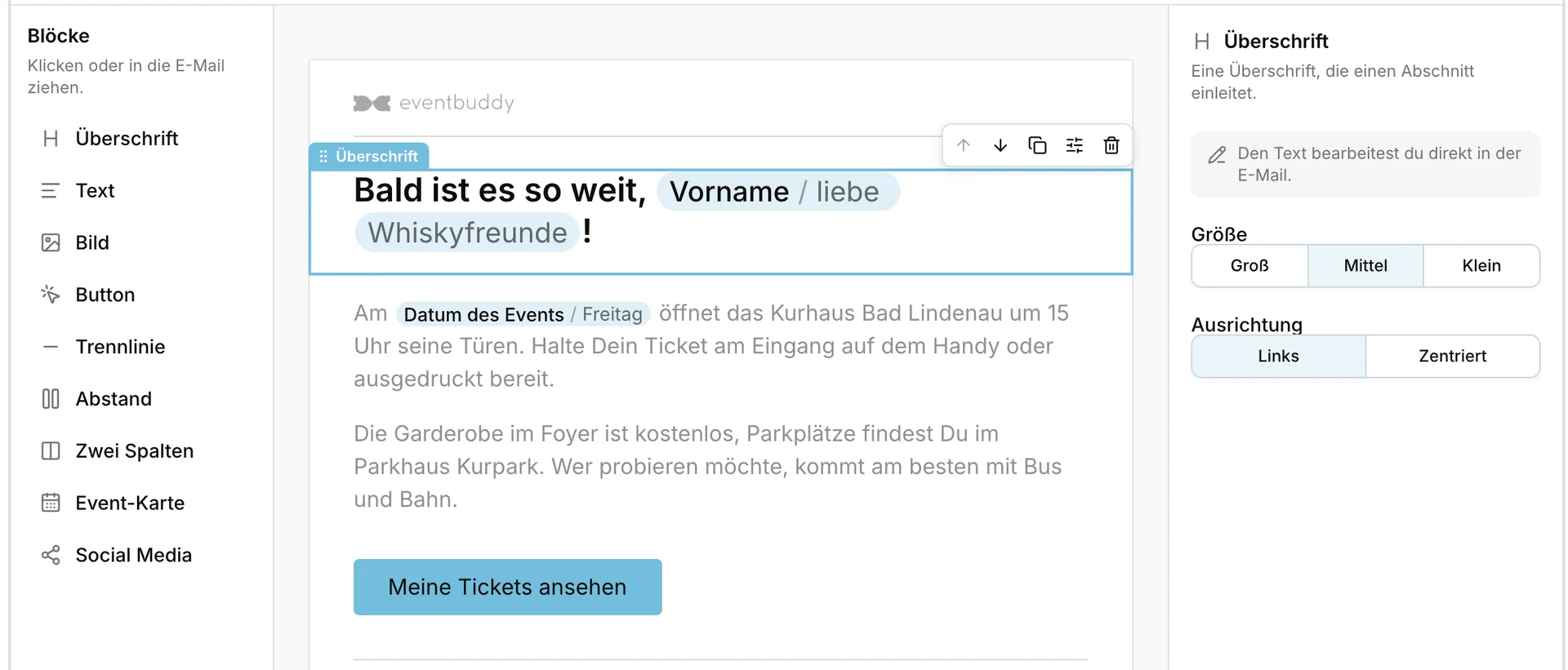
An email built from blocks
Heading, text, image, button, two columns or an event card: you click the blocks together, Eventbuddy puts them into the layout of your ticket emails. The layout itself stays fixed, so every email looks tidy.
Use the first name to address everyone personally. Before anyone else sees the email, you send yourself a test.
Statistics
See what got through
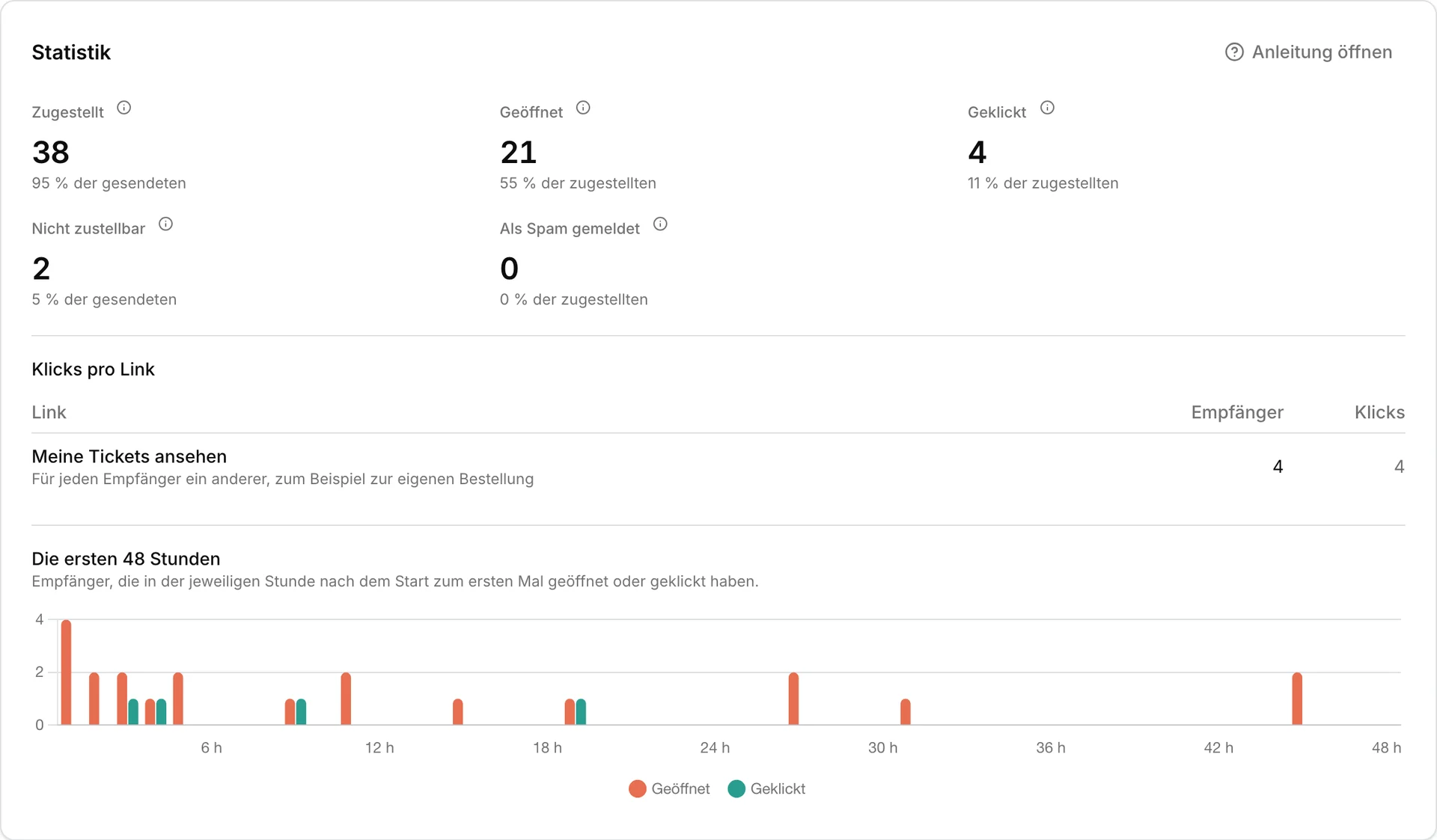
After sending, Eventbuddy shows how many emails were delivered, bounced or reported as spam. For marketing emails you also see opens and clicks, per link and for the first 48 hours.
Opens are a rough guide: some mail apps block images, others load them in advance. Clicks are the more reliable number.
How a campaign works
- 1
Pick recipients
Events for event info or a segment for a marketing email. Eventbuddy shows how many get the email and who is left out.
- 2
Build the email
From blocks or a template. Then you send yourself a test email.
- 3
Send and check
Right away or at a scheduled time. Afterwards the statistics show what got through.
What to know first
We switch on email campaigns on request. These limits apply:
- Until 3 of your campaigns have gone out cleanly, a person at Eventbuddy reads each one first.
- Large campaigns go out in stages and can take longer.
- Each person gets at most 2 marketing emails from you in 7 days.
What else is possible
Segments
Saved filters on your customers, by event, ticket type or city.
Templates
Start with a finished email and adapt it.
Scheduled sending
You decide when the campaign goes out.
Your own sender address
Send from your domain or through your own SMTP server.
With your AI agent
Your agent writes the draft, you send.
Recipients in the export
Who got the email, as a list for your records.
Learn more: Recipients in the export
Questions about email campaigns
No. Event info in Eventbuddy only informs about the visit, such as entry times, directions or a schedule change, so it needs no marketing consent. Marketing emails such as a presale start only go to customers who agreed at checkout and confirmed by link.
Event info from Eventbuddy goes to everyone coming to the chosen events: buyers with a paid order and a valid ticket, guests who accepted, and invited guests who have not answered yet. Each address gets it once. Anyone who cancelled, declined or could not be reached before is left out.
Event info from Eventbuddy may not advertise, for example with a discount code or a mention of another event. Before sending, an AI checks every campaign and shows you the parts that do not fit; when it is unsure, a person at Eventbuddy decides. You cannot upload your own address lists, marketing emails only go to consent from your checkout.
Eventbuddy sends larger campaigns in stages: first to a small share of the recipients, after 15 minutes to the rest. Only a limited number of emails goes out per day, so a large campaign can take longer. If part of it would arrive after your event starts, Eventbuddy shows you before you send.
Yes. Eventbuddy sends campaigns from an address on your domain once you have set the DNS records it shows you, or through your own SMTP server. Without your own address they go out from an Eventbuddy address, and replies reach your support address. Ticket and order emails always come from Eventbuddy.
Yes. Through Eventbuddy's MCP server your AI agent writes the draft, creates segments and sends you a test email. It can only send with an access token you gave that right; we recommend that you click send yourself. The agent follows the same rules as you and cannot add consent.
Goes well with
Show us your next visitor info.
In the demo we build a campaign for your event with you and show you who would get it.
No base fee · Personal support · A company from Germany