
Annual pass with photo: personal, non-transferable, and how the gate checks it
An annual pass with a photo belongs to one person. How to set the rules, collect the photos and check them at the gate without a line at the ticket booth.
Yes, a photo on the annual pass is the standard way to tie a season pass to exactly one person. Without a photo, one pass often covers the whole family, and that costs you every second admission. The photo works best when guests upload it themselves, after buying and before their first visit. Your staff see it when they scan and compare it to the face in front of them.
Why parks tie the pass to one person
An annual pass usually costs about as much as a few day visits. That only pays off for you if one person uses it. So almost every set of annual pass terms has the same three rules:
- Personal: a name and a photo belong to the pass.
- Non-transferable: the pass can't be lent or resold.
- Once per day: guests can leave and come back, but the pass won't let two people in on the same day.
Put these rules in your annual pass terms and show them before checkout. Spell out what happens on misuse too (the pass is taken away, the guest is banned). In Germany and Austria, have a lawyer check the wording if you're unsure.
Three ways to get the photo
| Method | Upside | Downside |
|---|---|---|
| Photo at the ticket booth, pass printed on site | Staff see the person when issuing the pass. | Lines on opening weekend, staff tied up at the booth. |
| Guest uploads the photo after buying | No waiting, the photo is there before the first visit. | Some photos are blurry or show the wrong person. |
| Photo on the first scan at the gate | Catches everyone who hasn't uploaded yet. | Adds a few seconds per guest at the turnstile. |
Most parks combine the second and third. Guests upload, and anyone who forgot gets photographed on their first visit. The first method is what everyone dreads when switching systems. The Hardtsee leisure center in Germany switched providers on January 1, 2024, and set up on-site appointments to hand out new cards, with photos of every pass holder (Wochenblatt Reporter, German).
How the gate checks the photo
Your staff scan the code. The device shows the stored photo, and they glance up. To keep that fast, you need three things:
Clear photo rules
Face from the front, no sunglasses, one photo per person. Put this on the page where guests upload.
A rule for missing photos
Decide whether staff let the guest in and take the photo right there, or send them to the booth. The first option is friendlier and keeps the line short.
A scanner that shows the photo
A code by itself only says "valid". The photo on the screen is what makes the personal rule checkable.
Annual pass without a photo: does that work?
Yes. Some parks skip the photo on purpose, for cheaper passes or for kids. Then you tie the pass to a name and spot-check ID. It's less work, but passes get shared more easily. A middle path is an optional photo: guests with a photo get through faster, guests without one show ID.
Privacy
A photo is personal data. Collect only what you need for entry, and say in your privacy policy what you use it for and when you delete it, for example when the pass expires. In the EU, the rules on data minimization and storage limitation in Art. 5 GDPR apply.
How Eventbuddy handles it
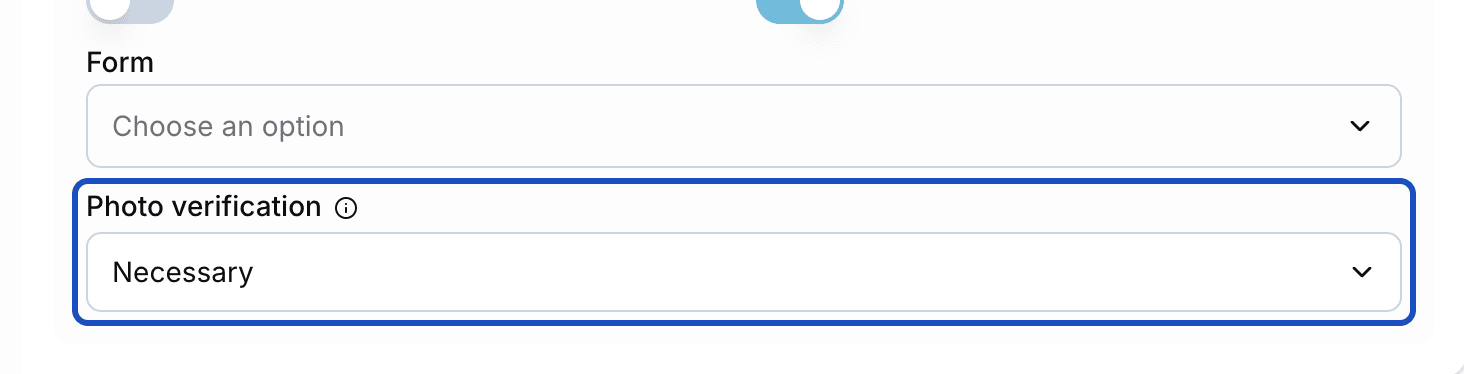
In Eventbuddy, an annual pass is a ticket type valid for a set number of days, for example 364 days from purchase. You limit it to one entry per day, require a name and set photo verification to Optional or Necessary.
- The guest uploads the photo on their order page after buying.
- If the photo is missing, the scanner reports "The photo is missing." Staff take it with the scanner right there, and from then on it shows on every visit.
- Passes can go into Apple Wallet or Google Wallet.
To be upfront: if you're coming from another provider, Eventbuddy doesn't carry over old card numbers or barcodes. Your pass holders get a new pass. You invite them from a list with name and email through a guest list, and they upload their own photo.
Step-by-step instructions are in the help article Photo on the annual pass. How it fits with day tickets and entry is on the leisure parks page. How long a pass is valid and how to renew it is covered in annual pass validity and renewal.
FAQ
Can I sell an annual pass as non-transferable?
Yes. Parks usually put this in their annual pass terms, since the pass is priced for one person. Guests need to see the rule before they buy. If you're unsure about the exact wording, have a lawyer review it.
Can a guest change the photo on their pass?
That's your call. In Eventbuddy, you remove a wrong photo in the order and upload a new one. Many parks allow a change when the old photo no longer fits, for example for kids.
What happens when a guest shows up without a photo?
With Eventbuddy, the scanner shows "The photo is missing." when photo verification is set to Necessary. Staff take the photo right at the gate and let the guest in. On the next visit it's already there.
Does Eventbuddy take over my existing annual passes?
No, old card numbers and barcodes don't carry over. Your pass holders get a new pass in Eventbuddy. You invite them from a list with name and email, up to 1,500 guests per import, and they upload their own photo.
Ready by opening day
Want to sell annual passes with photos next season without a line on opening weekend? Our team sets up your park with you, and together we fix a date before your opening day by which everything is set up and tested. Get your switch plan