
Cancel and refund an order
How to cancel a paid order, refund the full amount and know what happens to tickets and the invoice.
If a guest can't come and you want to give them their money back, you cancel their order. In one step, Eventbuddy refunds the amount paid in full, blocks the tickets and cancels the invoice.
Before you start
- Eventbuddy switches order cancellation on for you. Write to us if you want to use it.
- The Admin role can cancel orders.
Cancel an order
Open the order
Under Sale > Orders, open the order, for example by searching for the name.
Start the cancellation
In the menu with the three dots at the top, click Cancel/Refund Order.
Notify the guest
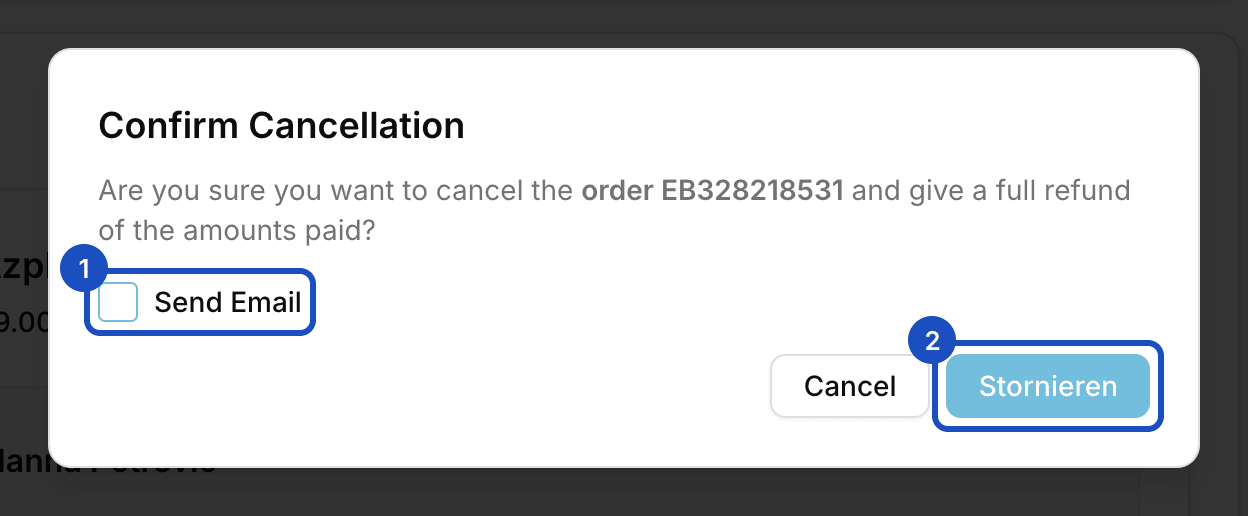
Check Send Email if your guest should receive a cancellation email.
Confirm
Click Stornieren (cancel; the button is shown in German). The order now has the status Canceled.
What happens when you cancel
- Tickets: all tickets of the order are deactivated and no longer accepted at the door. Tickets in Apple Wallet and Google Wallet become invalid.
- Payment: Eventbuddy refunds amounts paid in full. Open payments and payment reminders are stopped.
- Invoice: a cancellation invoice is created for the invoice. If you set an invoice email, it goes there too.
- Seats and subscriptions: reserved seats are released. Subscriptions linked to the order are canceled.
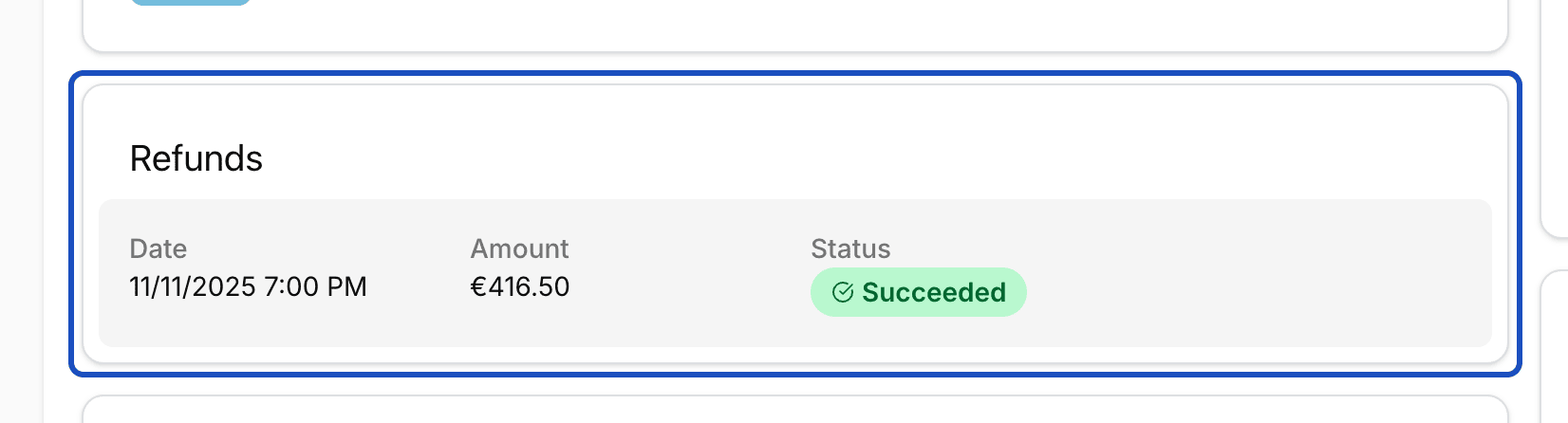
Afterwards, the order page shows the Refunds section with amount and status. In the invoice section, Download cancellation invoice downloads the cancellation invoice.
Good to know
When can't I cancel?
Eventbuddy refuses the cancellation if the order isn't paid, if it has already been paid out to you, if it was created offline at the box office or if the event is over. You then see a message with the reason.
Who pays the fee on a refund?
If your guest paid a fee, they get it back with the full amount. The fee for the order is then charged to you.
Can I refund only part of an order?
No. A cancellation always refunds the full amount paid.