
Invite your team and assign roles
How to invite colleagues, give each of them the right role and change it later.
Everyone on your team gets their own login. The role decides what they may see and do in the admin area. Door staff don't need revenue figures, and accounting doesn't need event settings.
Before you start
Anyone with the Admin role may manage users. For the invitation, you need the person's name and email address.
Invite someone
Open Manage users
At the bottom of the sidebar, click the name of your organizer and then Manage users.
Fill in the invitation
Click Nutzer einladen (invite user; this button is still in German). Enter Name and E-mail and choose the right role. The Mobile number is optional.
Invite
Click Einladen (invite). The person gets an email with a link that is valid for three days. Until they accept, they are listed in the Invitation table at the bottom.
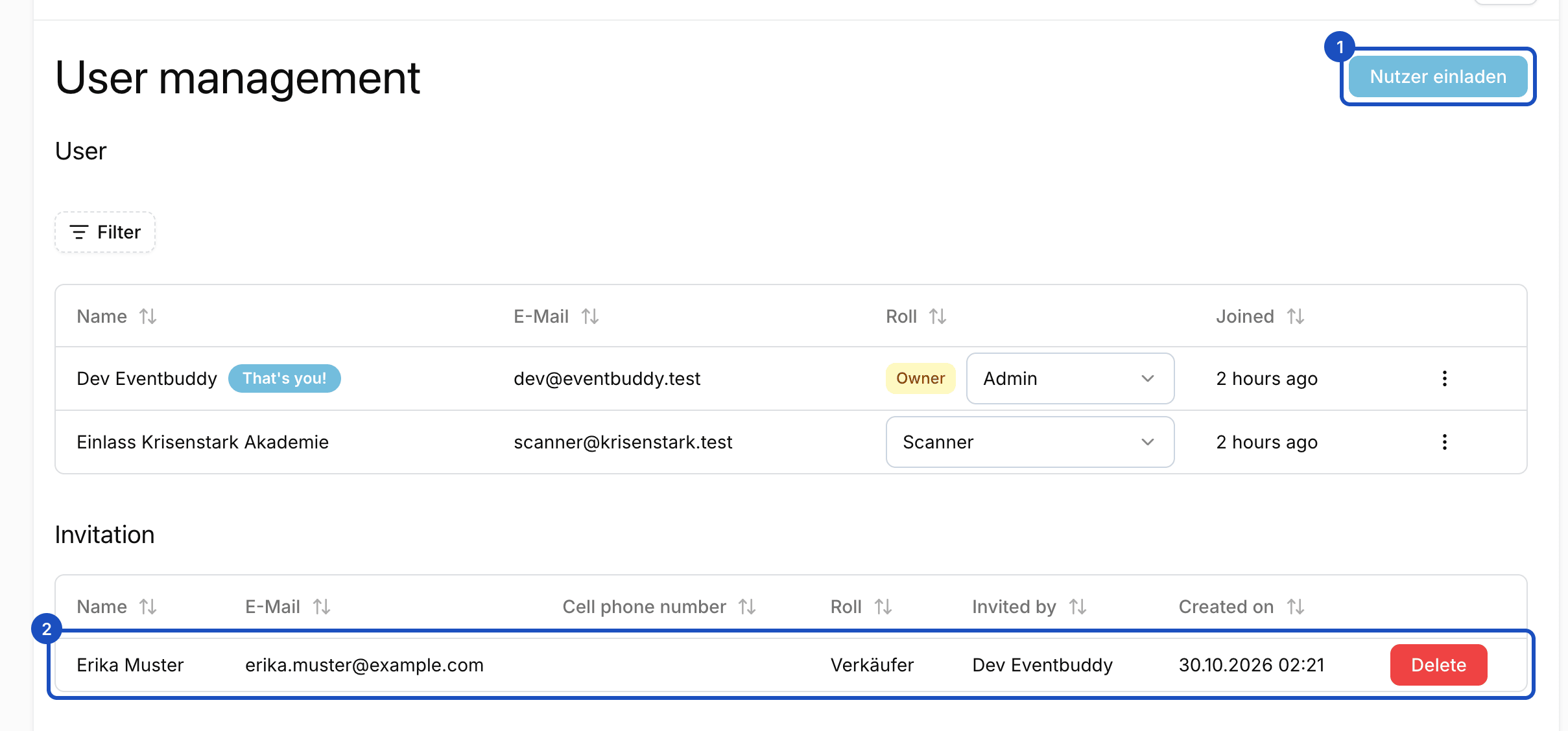
Open invitations are listed below your team until they are accepted.
The roles
| Role | For whom | May |
|---|---|---|
| Admin | Management, organization | Everything: events, orders, customers, guest lists, finances, settings and team. |
| Verkäufer (seller) | Box office | Sell at the box office, see events and invoices. No order list, no dashboard. |
| Scanner | Admission | Scan tickets, see orders and guest lists. Changes nothing. |
| Buchhaltung (accounting) | Tax advisor, finance | See and export orders, customers, invoices and finances. Changes nothing. |
Change a role
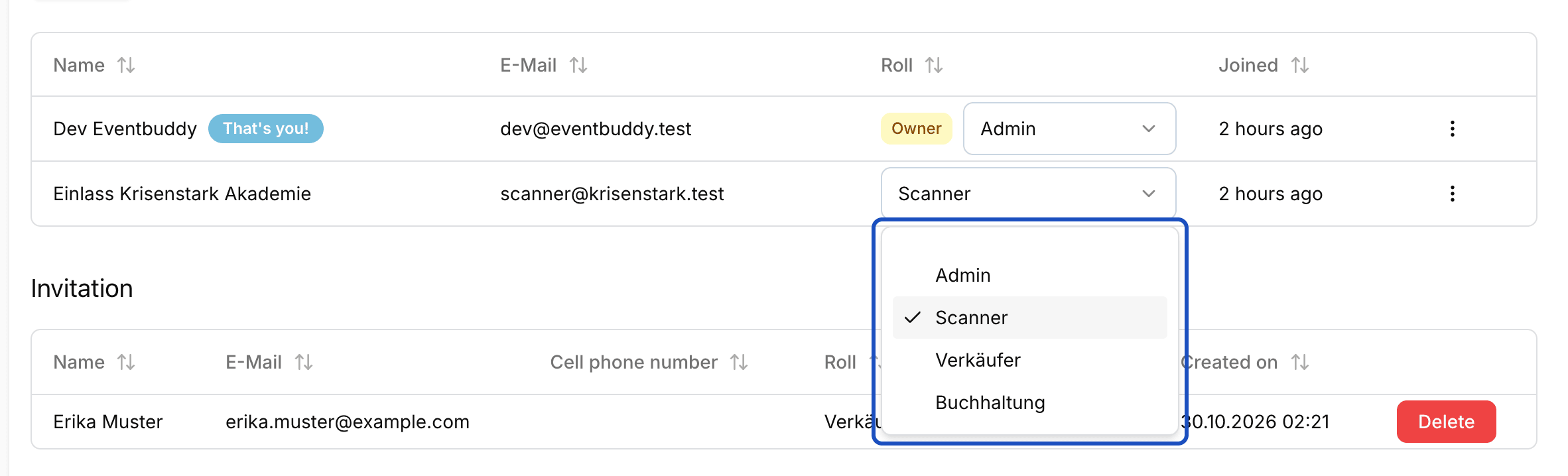
In the User table, every person has a select field with their role. Choose the new role. Eventbuddy saves the change right away and confirms it with "Role has been successfully updated." The person sees the new areas the next time the page loads.
Good to know
The invitation has expired. What now?
Delete the open invitation in the Invitation table and invite the person again. They then get a new link.
How do I remove someone from the team?
In the User table, open the person's menu and click Remove User. You can't remove yourself or the last owner of the account.
What is an owner?
Owners have all rights, including bank details. An owner can choose Set as owner in a person's menu to make further owners.