
Understand payouts and credit notes
How to read your balance, add your bank account and download the credit note, invoice and export for every payout.
When your guests pay by card, PayPal or another online payment, Eventbuddy receives the money and pays it out to you, minus the fees. The Balance page shows what is still with Eventbuddy and what has already gone to you.
Before you start
Without bank details, Eventbuddy cannot pay anything out. If they are missing, the Balance page shows the notice Add your bank details at the top. Click Go to bank details there and enter your account in the Bank Details tab.
Read your balance
Some labels on this page currently show in German in the English admin. They are given in brackets below.
Open the balance
In the sidebar, click Balance under Finances.
Read the numbers at the top
The current balance (Aktueller Saldo) is the amount Eventbuddy would pay out to you now: payments minus fees, refunds and chargebacks. Pending payments (Ausstehende Zahlungen) are payments that are not complete yet and therefore don't count yet.
Break it down by event
Under the balance breakdown (Aufschlüsselung des Saldos), click Open. You see the Open balance for every event. Subscriptions are in the Subscriptions tab.
View a payout
Below the balance is the list of your payouts. One payout can cover several events. The Status column shows In transit while the money is on its way to you, and Paid out with the date once it has been paid. The first column holds the credit note number.
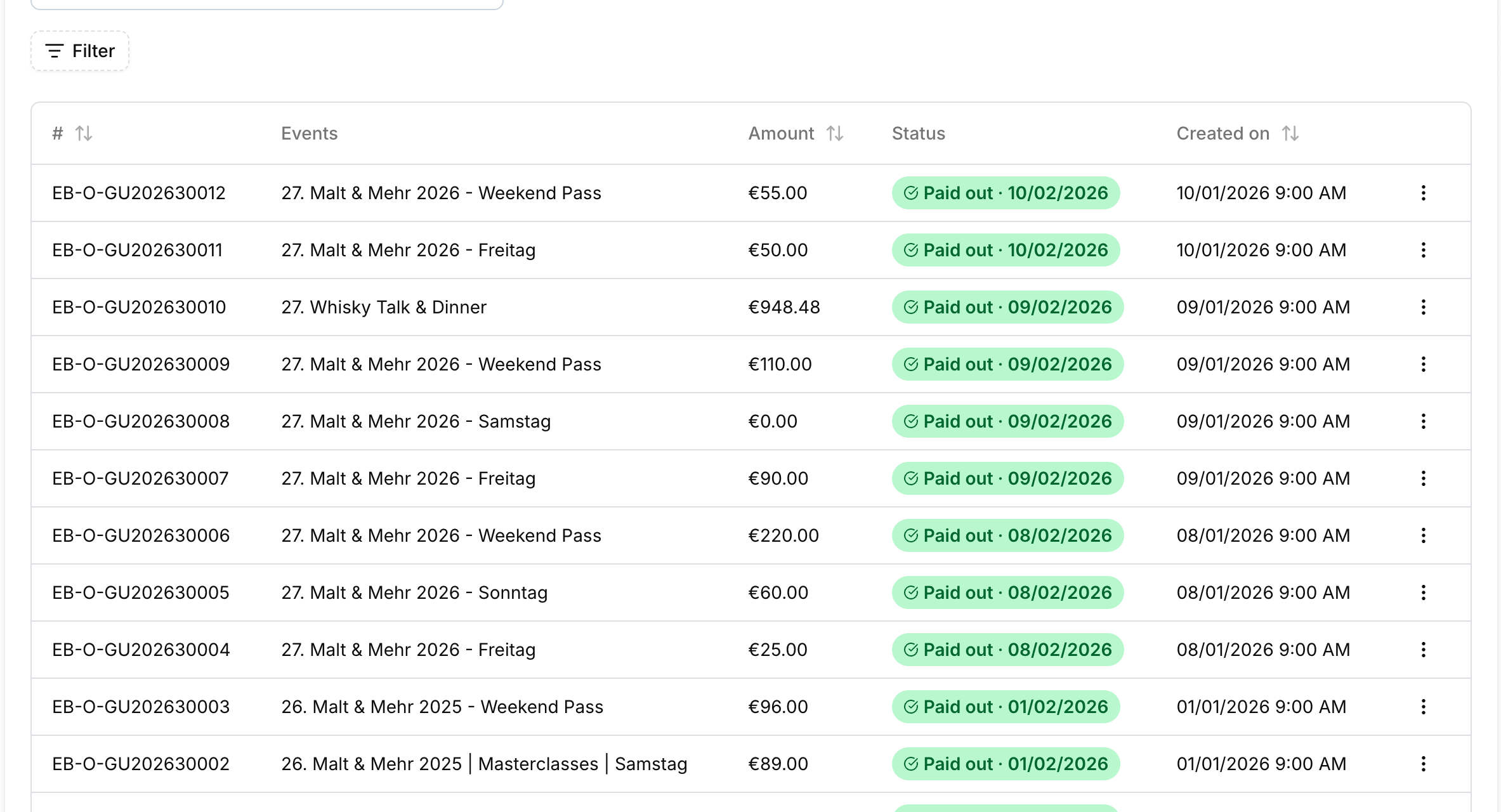
Click a payout to open it:
- Payout details: the events, the Amount and, for payouts in transit, the Estimated arrival.
- Credit note: the document for your ticket money. Download credit note gives you the PDF.
- Invoice: our fees for this payout. Download invoice gives you the PDF.
- The menu at the top right also has Export, an Excel file with every payment of the payout, a summary and totals, and Download XInvoice.
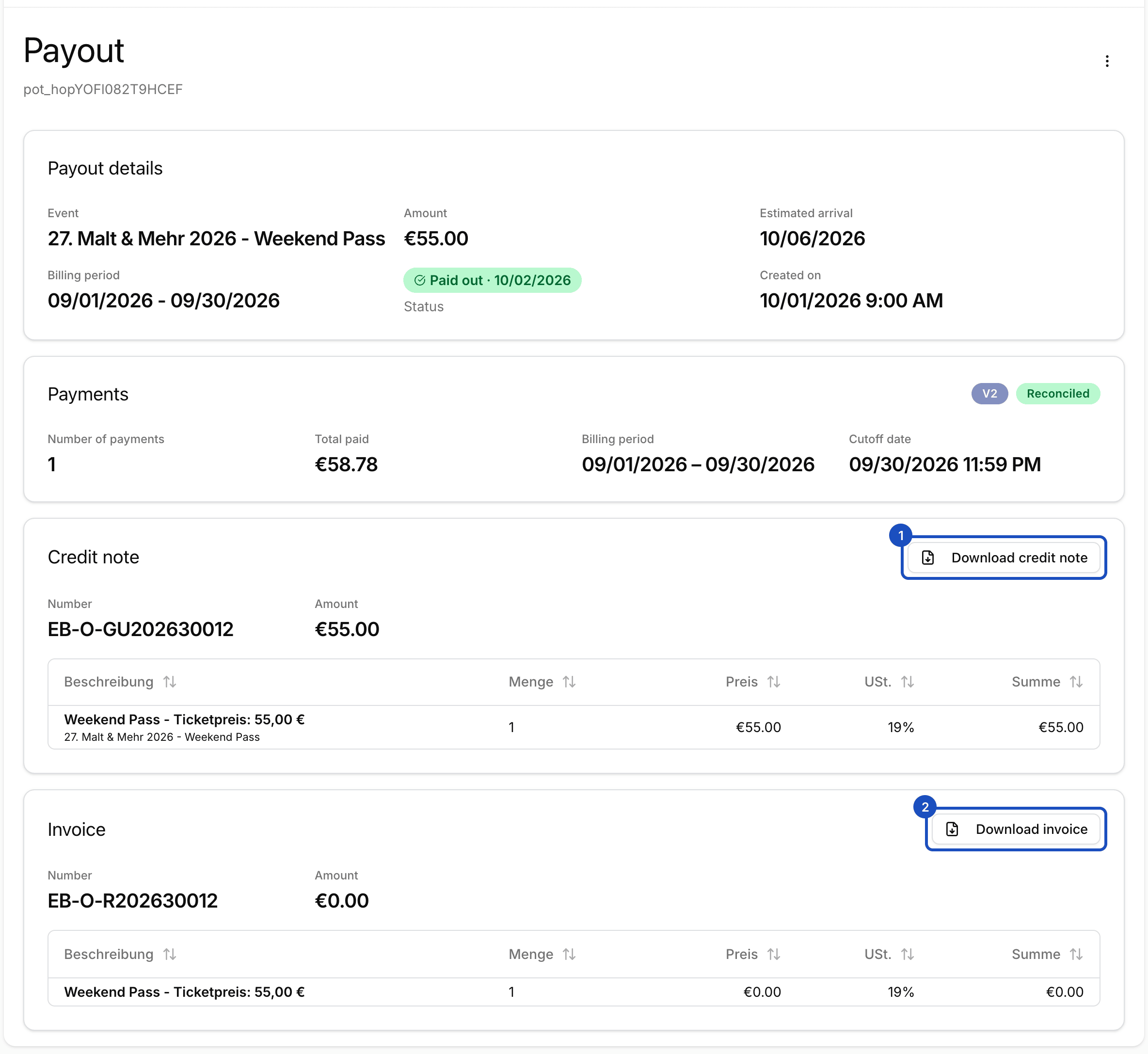
The amount paid out is the credit note minus the invoice. Pass both documents on to your accountant.
Good to know
What is a payout correction?
If refunds and fees in a period were higher than the income, you owe Eventbuddy money. Instead of a credit note you then get a payout correction, which you get with Download payout correction.
Will I know when money has been paid out?
Yes. As soon as a payout is marked as paid out, the owners of your organizer account get an email.
Who sees the balance?
Everyone with a role that may display finances, for example Admin and Buchhaltung (accounting).