
Finance overview
How to read the finance overview, see open and overdue payments and give your accountant access.
The finance overview answers three questions: what has come in, what is still outstanding, and where is something stuck? It matters most when you sell with installments, subscriptions or pay on account.
Before you start
Only people allowed to display finances see the finance pages, for example the Admin role. For your tax advisor or accountant there is the Buchhaltung (accounting) role: it sees, for example, finances, orders and invoices, but cannot change anything and cannot scan.
Read the overview
Open the overview
In the sidebar, click Overview under Finances.
Choose period and events
At the top, choose a Period, for example This month or Last 12 months. Under Events you narrow it down to certain events.
Read the money flow
The strip at the top shows where your money is right now. Clicking a tile opens the payments behind it.

From left to right: from the open amount to the payout.
| Tile | What it shows |
|---|---|
| Open | What customers will still pay you: upcoming installments, subscription payments and open invoices for prepayment and pay on account. |
| Overdue | The part of that which was already due and is not paid yet. |
| Received | What was paid in the selected period. This covers every payment method, prepayment and pay on account included. |
| In balance | What Eventbuddy holds for you and has not paid out yet, after fees and refunds. |
| Paid out | What was paid out to you in the selected period. |
See where something is stuck
Needs attention has two lists:
- Overdue: payments that were due and are missing, with the number of days.
- At risk (next 14 days): payments due soon where a problem is already visible, for example Card expiring soon or Previous instalment failed.
Above that, Next 30 days shows what is due soon, and Cash flow shows received and expected payments per month or week.
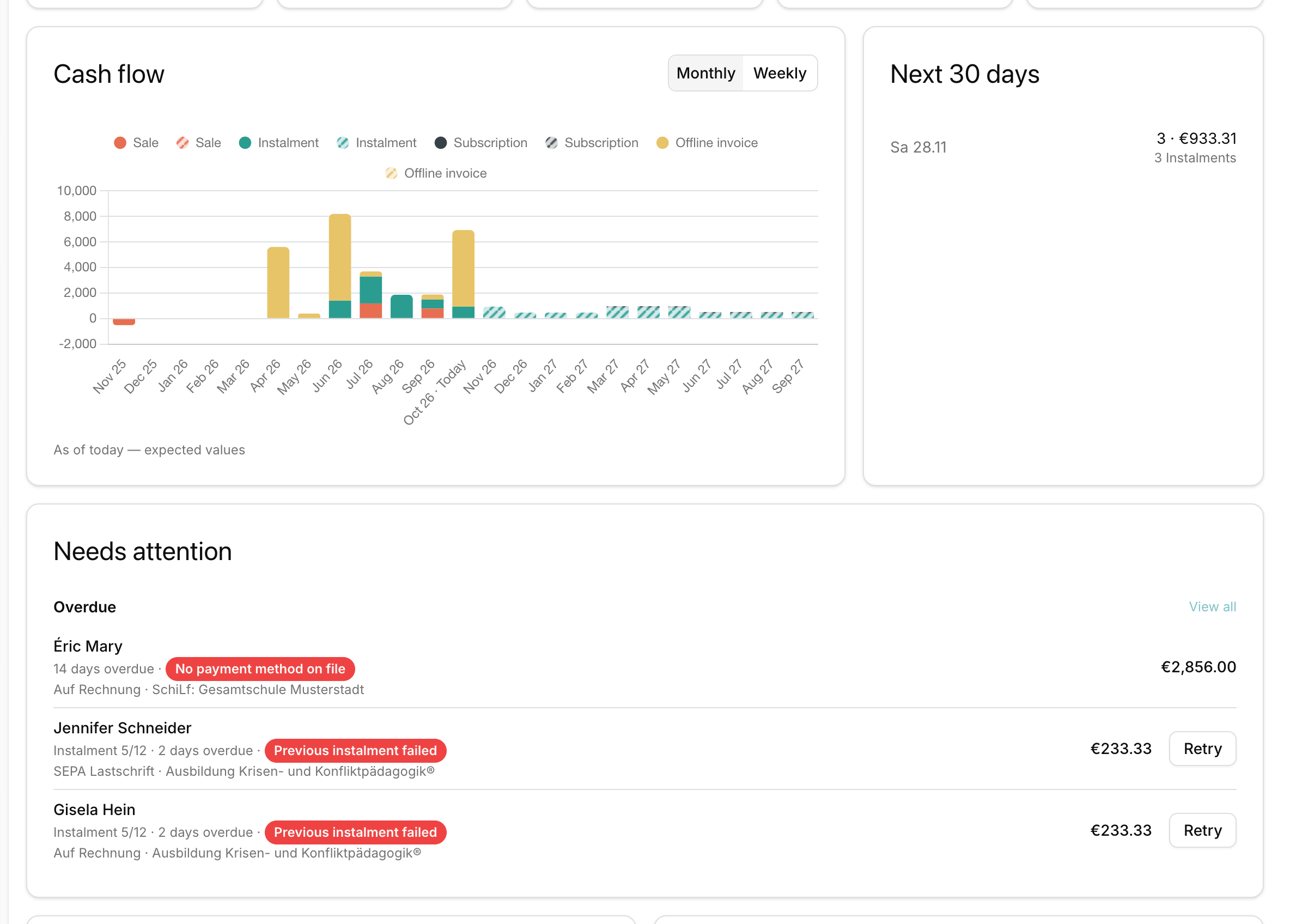
Further down are blocks for Installments and Subscriptions, a By event table and the split by Payment methods.
Good to know
Why are my normal ticket sales missing under Open?
A normal order is paid right away. Open and Overdue only list payments with a due date: installments, subscriptions and invoices for prepayment or pay on account.
Can I export the payments for my accountant?
Yes. Under Finances > Payments you see every single payment, past and upcoming. With Export you download them as CSV or Excel, including fees and net amount.
Do I have to match prepayment transfers myself?
No. With prepayment and pay on account, Eventbuddy matches your customers' transfers to their orders. Whether an invoice is still open or already overdue, you see here in the finance overview.