
Share one invitation link with many guests
How to share one claim link through which your invited guests claim their tickets themselves or decline.
Instead of sending hundreds of invitation emails, you share a single link, for example in your newsletter or members' area. Anyone on your list enters their email address there and gets their tickets sent to them.
Before you start
You need a CSV file with your guests' email addresses. Only people in it can claim tickets through the link. How the CSV import works is explained in Create a guest list and invite guests.
Create the claim link
Create a mass invite
Under Guest lists, click Create guest list. Choose Event, Ticket type and Quantity. The quantity is the maximum per guest: with 2, every guest can claim one or two tickets.
Set the deadline
Under Expires on, enter until when guests can claim their tickets. The deadline is shown on the claim page.
Upload the CSV
Under Invitation, switch to Mass invite and upload your CSV file.
Turn on the shared link
Turn on Guests claim their tickets via a shared link. If you want to share the link yourself and not send invitation emails, turn off Notify guest.
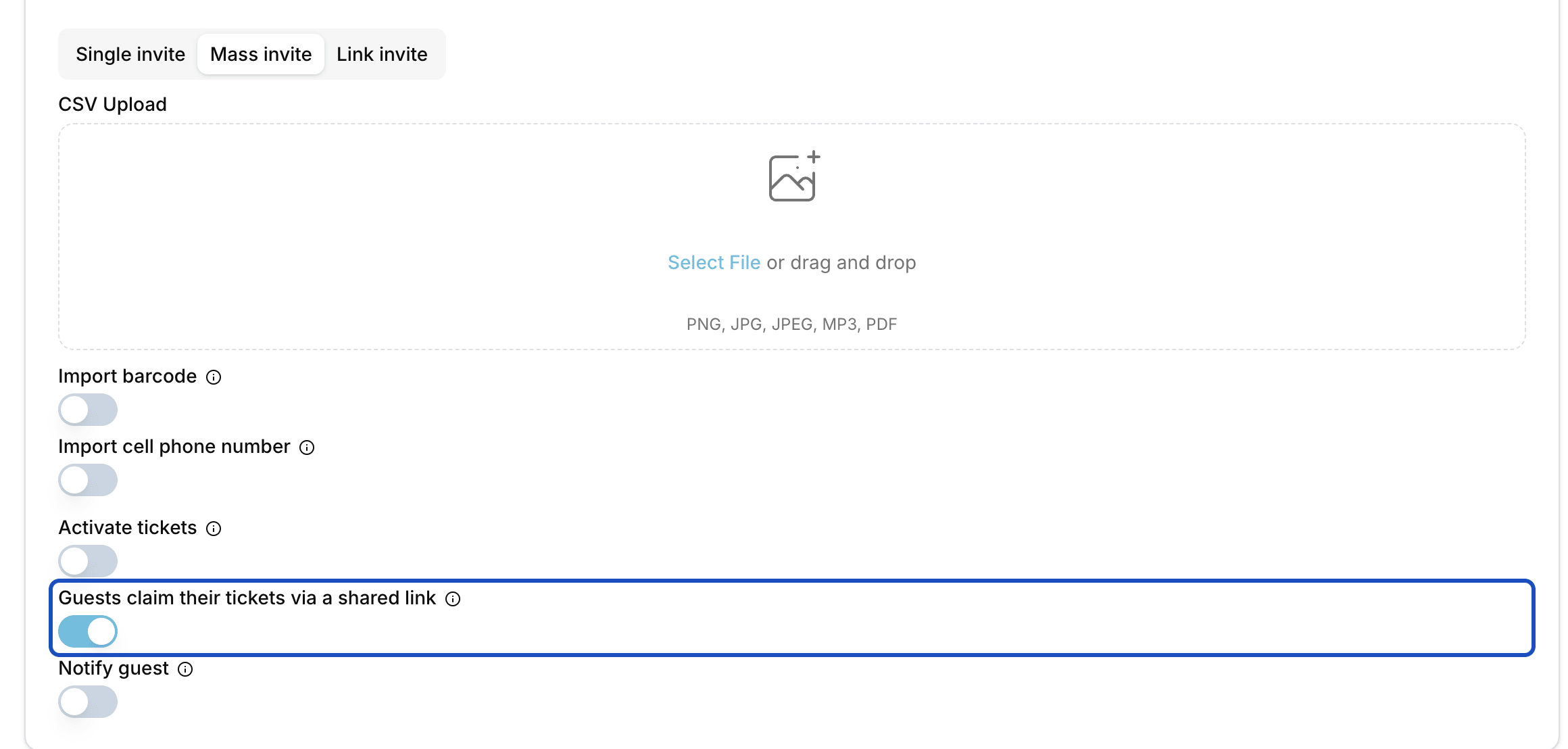
The quantity per ticket type is the limit for each guest. Create and copy the link
Click Create. Under Guest lists, open the Batches tab and then your batch. The Claim link is at the top. One click copies it.
What your guests see
On the claim page, the guest enters their Name and the E-mail their invitation was sent to. They choose how many tickets they want, at most as many as you set, and click Claim tickets.
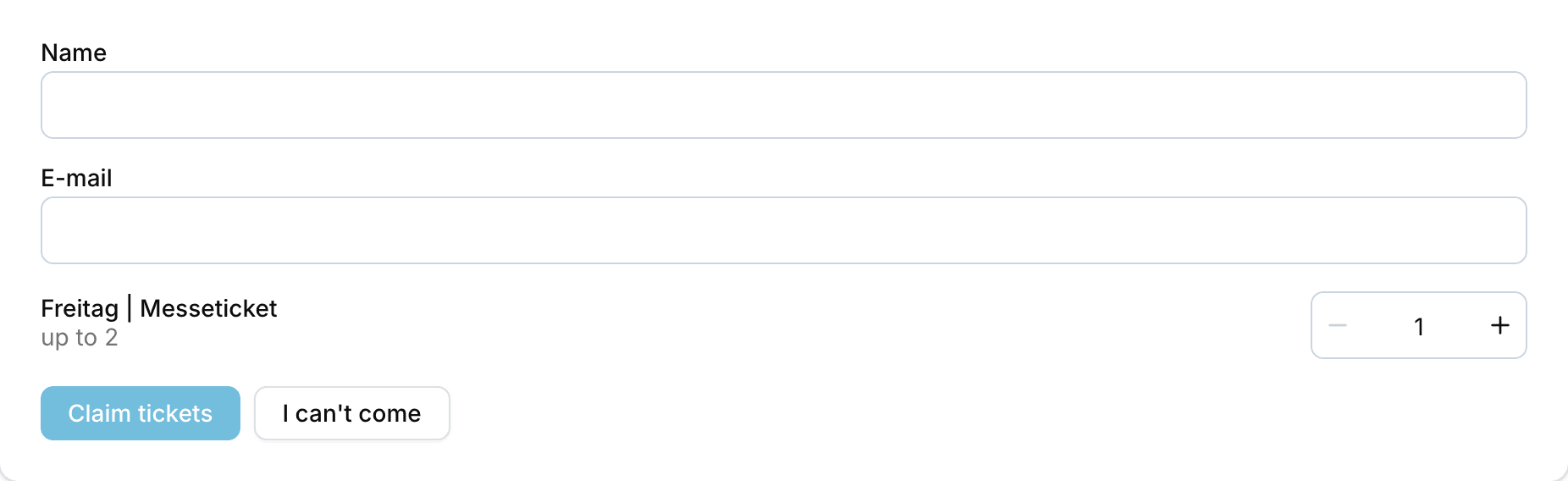
The tickets always go to the invited address, with the tickets attached as PDF. If someone enters another person's address, only that invited guest receives their own tickets. Anyone not on the list sees a message and gets nothing.
If a guest can't come, they click I can't come and enter their email address. If you have a declines form for the event, they can give a reason there, but they don't have to. If they change their mind, they simply claim the tickets later after all.
Good to know
What happens after the deadline?
The claim page closes the form and shows "Claiming has closed". Anyone who has not claimed by then no longer gets tickets.
Can I add guests later?
Yes. On the batch page, you invite more guests with Add guests. They can then claim through the same link too.
What is the Link invite tab?
Something else: there you set a Number of links and receive individual invitation links by email, which you hand out yourself. Each link is its own invitation, without a CSV list.