
Sell subscriptions and memberships
How to create a subscription plan with a term and notice period, sell it with a ticket and manage running subscriptions.
With a subscription, your guests pay regularly, for example a membership fee every month. Eventbuddy issues the invoice on every billing date, charges the payment and handles cancellations.
Before you start
Eventbuddy switches subscriptions on for you. Write to us if you want to use them. You then find Subscriptions in the sidebar under Administration.
Create a subscription plan
The plan is the template for every subscription you sell with it.
Create a plan
Open Subscriptions, click Manage Plans next to the plans and then Create a plan.
Enter name and price
Enter Name, Price and Tax Rate. If your price excludes VAT, turn on Net price.
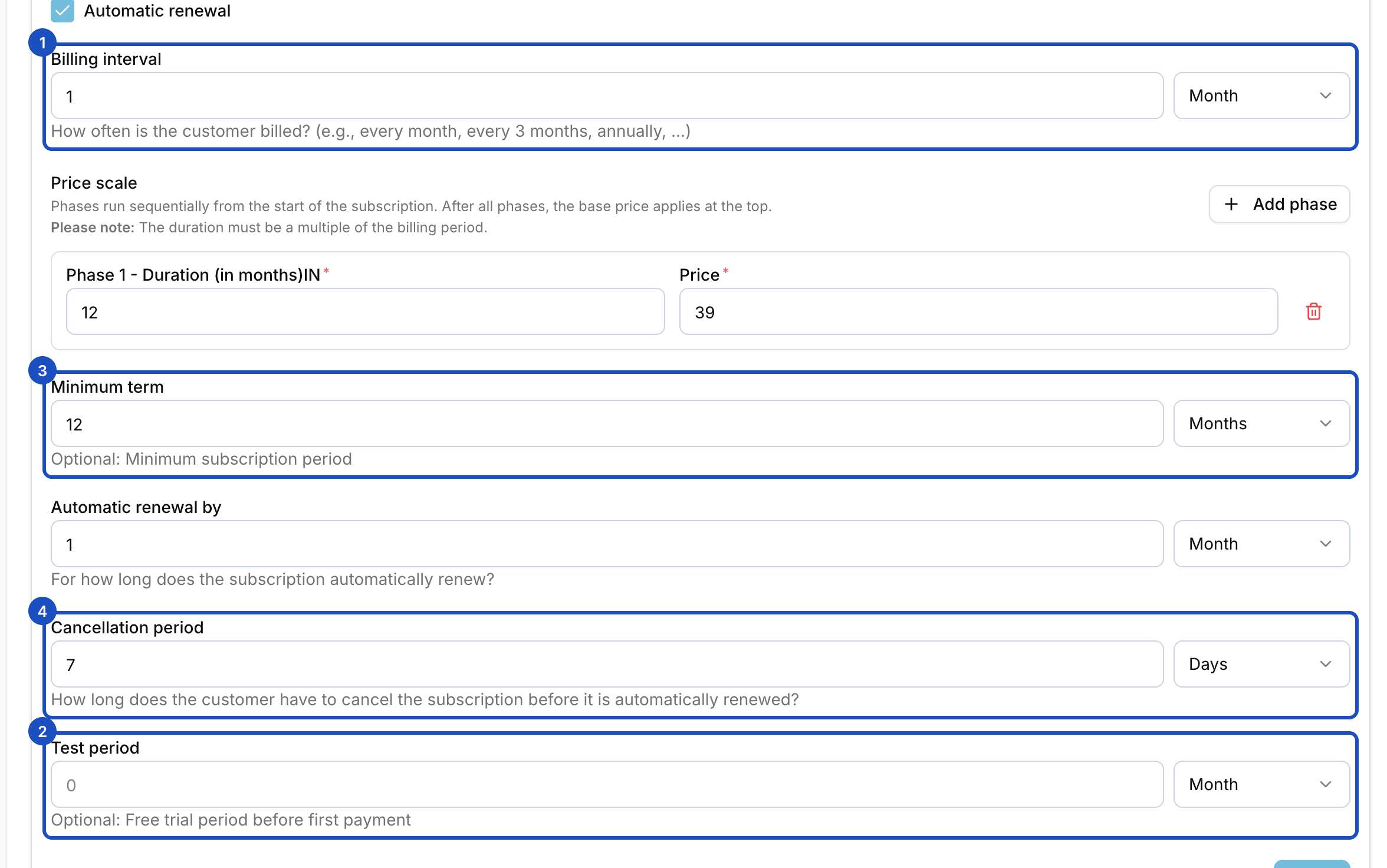
Set the term
Under Billing interval you set how often a payment is charged, for example every month. The other fields are optional:
- Test period: free time before the first payment.
- Minimum term: the subscription runs at least this long.
- Automatic renewal and Automatic renewal by: whether and by how long the subscription renews afterwards.
- Cancellation period: how long before the renewal a cancellation must arrive.
Save
Click Save.
Sell the subscription with a ticket
Open the event and expand the ticket type. In the Subscription section, pick your plan under Choose a subscription plan. Anyone who buys this ticket automatically gets a subscription.
- Subscription required: when it's off, your guest can deselect the subscription at checkout.
- Start time: Immediately after purchase, At the start of the event, At the end of the event or Specific Date.
To create a subscription without a ticket purchase, use Create subscription in Subscriptions. You choose the Customer, the Plan and the date under Starts on.
Manage a running subscription
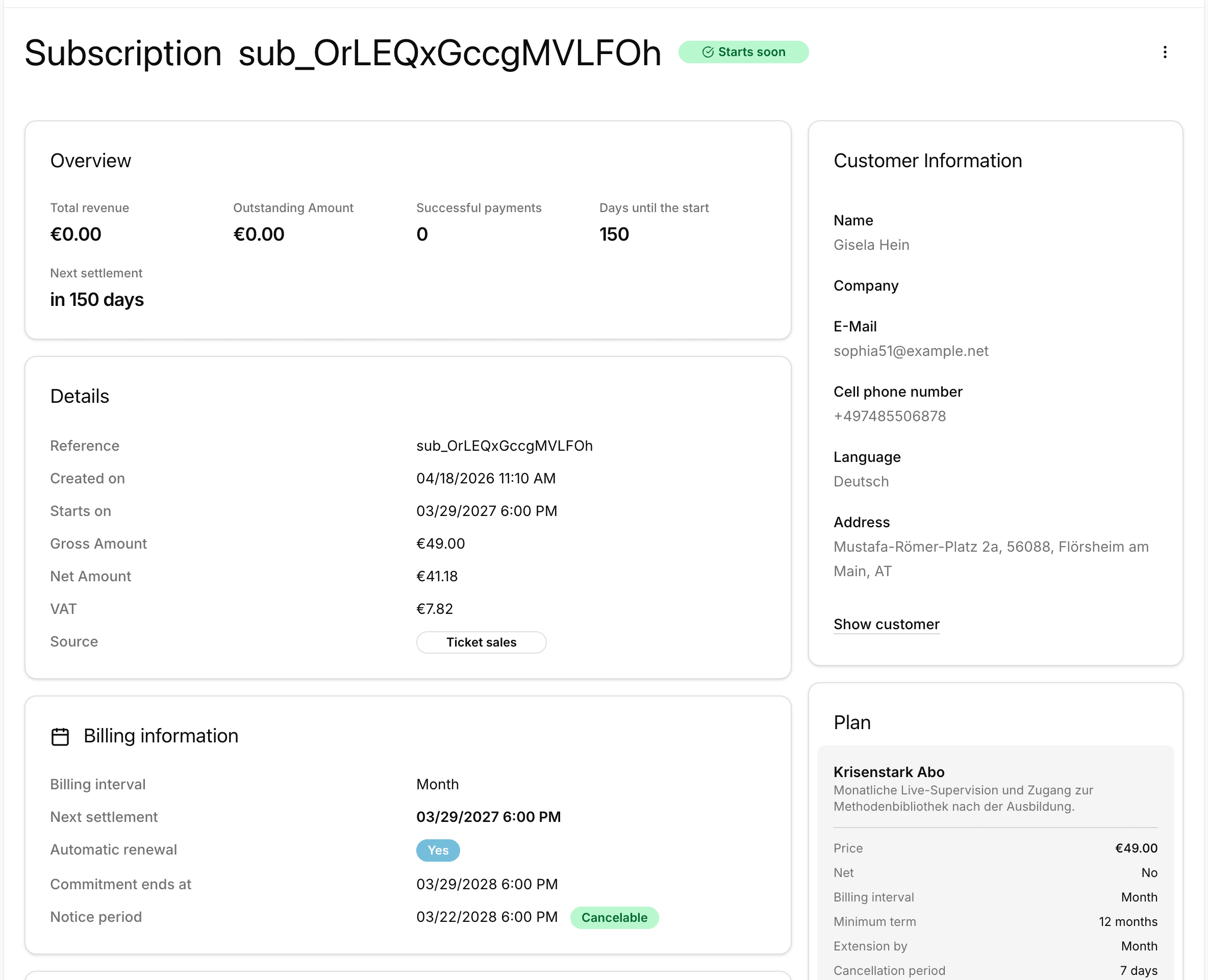
In Subscriptions, click a subscription. You see its status, next payment, minimum term, cancellation deadline and all Payments. To charge a failed payment again, click Retry.
In the subscription's actions menu, you cancel with Cancel. Eventbuddy shows you the day the subscription ends. With End immediately, it ends right away.
Good to know
Can customers cancel themselves?
Yes. Your customers can cancel on the status page of their subscription. Eventbuddy takes the cancellation period into account. If the cancellation comes too late, one more billing period runs.
What happens when a payment fails?
The subscription gets the status Overdue and Eventbuddy retries the payment several times. If none of the attempts succeeds, it changes to Not paid and both you and your customer are notified.
Does changing a plan change running subscriptions?
No. Each subscription keeps the price and terms from when it was taken out. Changes to the plan only apply to new subscriptions.
What does Revoke mean?
If a subscription can still be withdrawn, you find Revoke in the menu. This ends the subscription immediately and cancels or refunds the payments.