
Choose payment methods
How to choose per event how your guests can pay, from PayPal and credit card to bank transfer in advance.
For every event you decide which payment methods your guests see at checkout. For example, you offer pay on account for a company seminar and only card and PayPal for a concert.
Choose the payment methods for an event
Open the event
In the sidebar under Sale, click Events and open the event you want to edit.
Select the methods
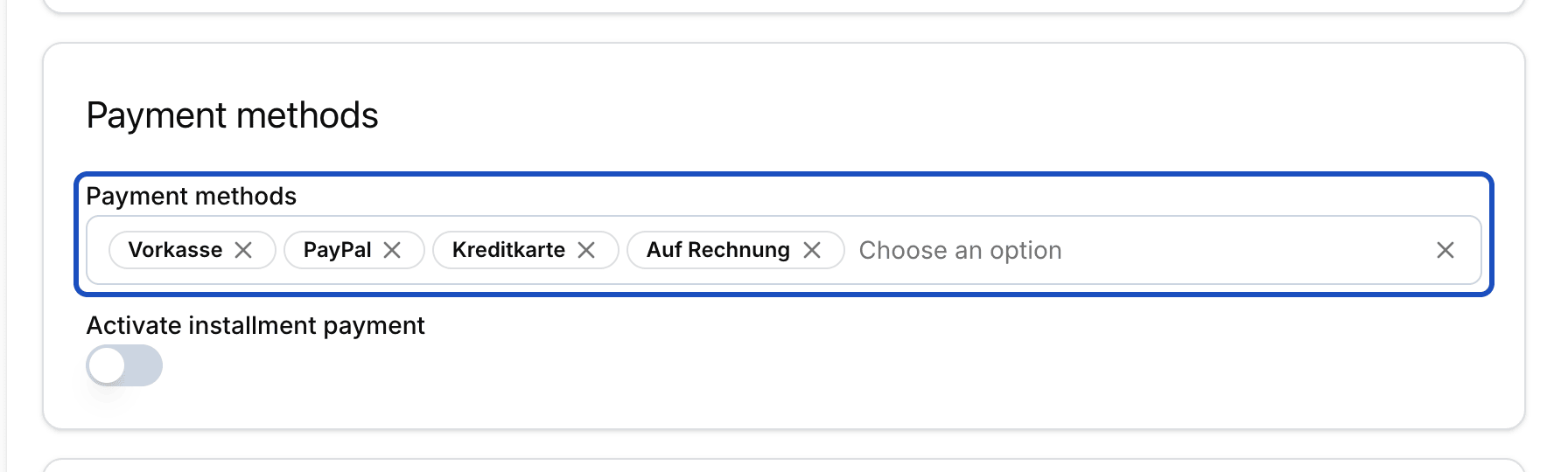
In the Payment methods section, select every method you want to offer. The choice includes PayPal, Kreditkarte (credit card), Apple Pay, Google Pay, iDEAL, TWINT and Vorkasse (bank transfer in advance). Remove what you don't want to offer for this event. The method names are shown in German.
Save
Click Save. From now on, your guests see exactly these methods at checkout.
Methods that Eventbuddy switches on
SEPA Lastschrift (SEPA direct debit) and Auf Rechnung (pay on account) only appear in the selection once Eventbuddy has switched them on for you. Write to us if you want to use them.
Good to know
Why is a method missing shortly before the event?
Some methods need time until the money arrives. Eventbuddy therefore hides them automatically before the event: Vorkasse 7 days before, SEPA direct debit 5 days before, iDEAL and TWINT 2 days before. Card, PayPal, Apple Pay and Google Pay stay available until the end.
How does bank transfer in advance work for my guests?
After ordering, your guest receives an email with the bank details and the order number as the payment reference. They should transfer the amount within 4 days. Eventbuddy reminds them by email after 3 and after 5 days.
How does pay on account work?
Your guest orders and receives an invoice. You set the payment term in the invoice settings. Eventbuddy sends a reminder one day, 7 days and 14 days after the due date.
Is there a limit for SEPA direct debit?
Yes. For orders over €10,000, Eventbuddy does not offer SEPA direct debit. Your guest then chooses another method.
Which methods are available for installments and subscriptions?
When further payments are due later, checkout only shows methods that can charge again: credit card, Apple Pay, Google Pay and, when switched on, SEPA direct debit and pay on account.