
Collect declines with a reason
How to let guests decline on the event page or in their invitation, ask for the reason and export the declines.
For your planning, it also matters who is not coming. With declines, guests send you a short message instead of none at all, with a reason if you like. You see all declines of an event in one list.
Before you start
If you want to ask for a reason, first create a form, for example with the question "Why can't you come?". How to do that is explained in Ask your own questions at checkout.
Turn on declines for an event
Open the event
Click Events under Sale and open your event for editing. The Cancellation section only appears once the event is saved.
Activate cancellations
In the Cancellation section, turn on Activate cancellations.
Choose a form
Under Form, choose your declines form. On the event page, Eventbuddy only asks what is in this form. So include name and email too, otherwise you won't know who declined.
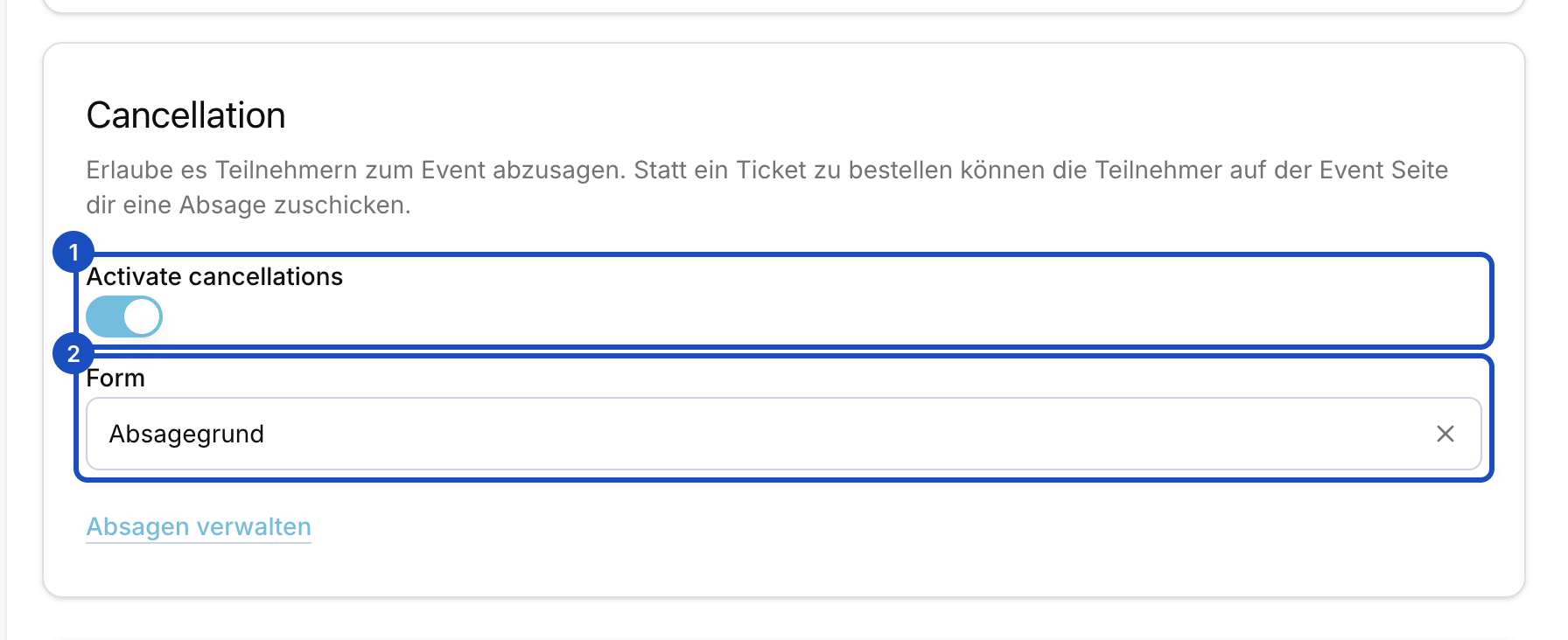
The form decides what guests are asked when they decline. Save
Save the event. The event page now has a Cancellations section with the Send rejection button, until the event is over.
Declines from invited guests
Guests on a guest list can always decline, even without the switch. On their invitation page and on the shared claim link, they click I can't come. If you chose a declines form on the event, they see it there too. For them it is always optional.
This works as long as the guest has not activated any tickets and the invitation has not expired. If they change their mind, they click Withdraw decline and can claim their tickets again.
View and export the declines
Open the list
In the event's Cancellation section, click Absagen verwalten. The link currently shows in German in the English admin as well.
Read the answers
Every row is one decline. Every question of your form has its own column. If the decline came from an invitation, the Guest list column links to it.
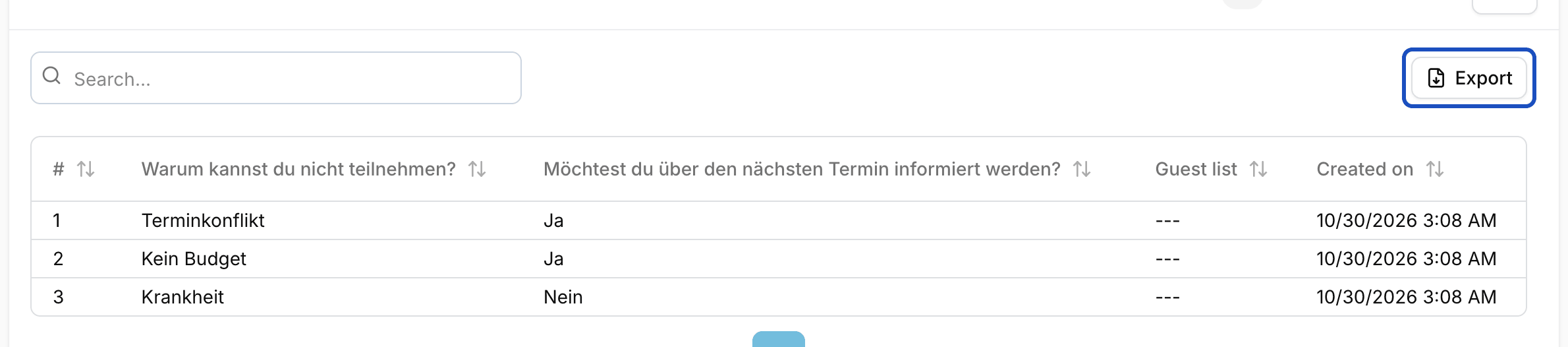
Export
Click Export and choose CSV or Excel. The file contains all answers.
Good to know
A guest declined by mistake. Can I undo it?
Yes, for invited guests. Open their guest list and click Clear decline. They can then activate their tickets again.
Where do I see the decline rate of a mass invite?
On the batch page under Guest lists > Batches. It shows the Decline rate, and you can filter the guests by Declined.