
Member prices with access codes
How to show a ticket type only to members or invited guests, with a shared access code or with invitation codes.
A member price is a separate ticket type that only people with a code can see. Everyone else only sees the regular tickets in your shop. Eventbuddy offers two ways to do this: one access code for all members, or invitation codes that you hand out and limit one by one.
With one access code for everyone
The access code fits when all members get the same code, for example through your newsletter.
Create a ticket type
Open the event and, under Tickets, use Add ticket to create a separate ticket type, for example "Member" with the reduced price.
Enter the access code
Expand the ticket type and enter the code under Access Code, for example
MEMBER27. Save the event.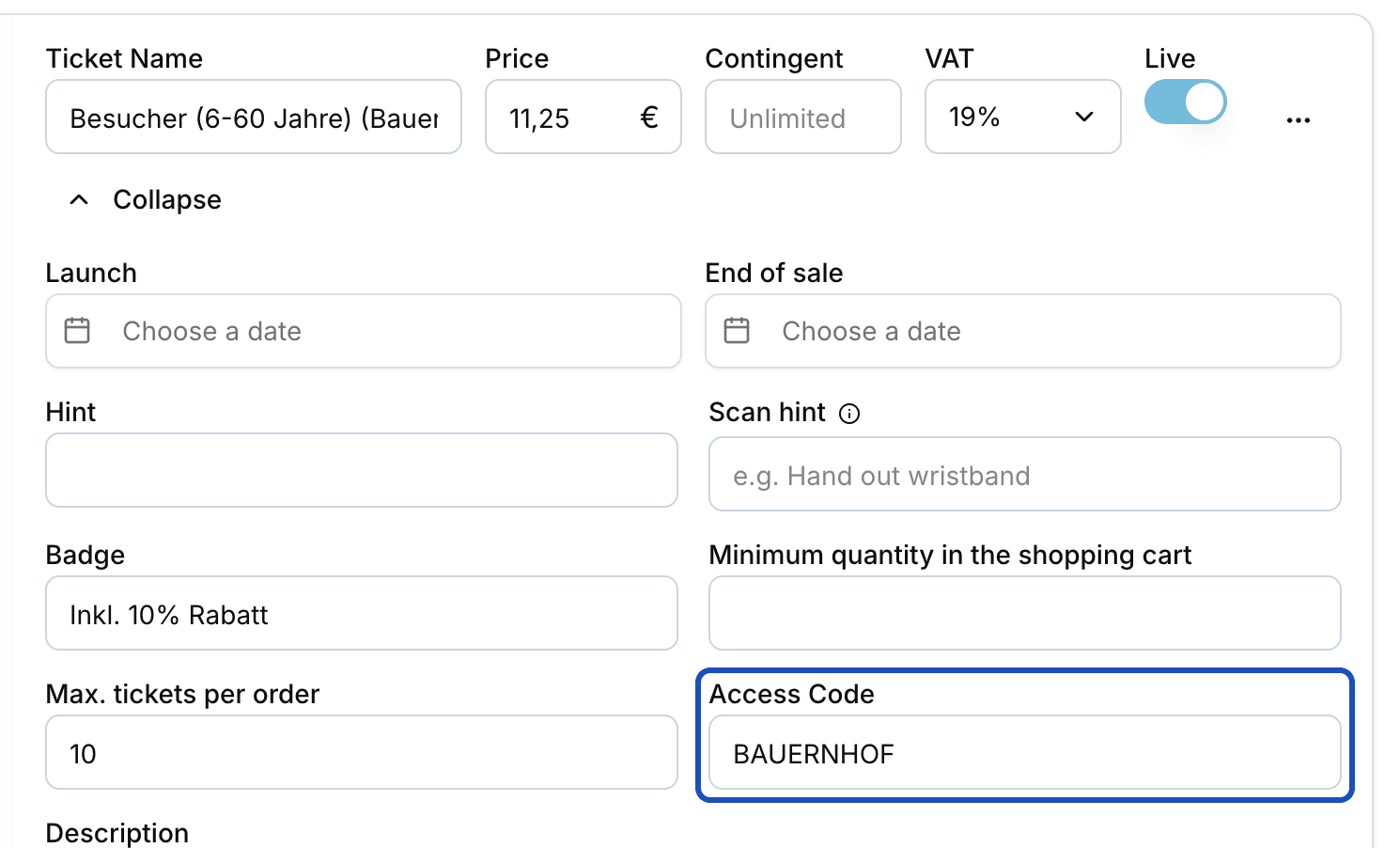
With an access code, the ticket type is hidden in the shop. Send the link
Your members only see the ticket type through a link that contains the code. Add
?code=and your code to the address of the event page, for example…/my-event?code=MEMBER27, and send this link.
With invitation codes for individual people
You hand out invitation codes one by one and decide how often each can be used. Guests enter them in the shop themselves.
Activate invitation codes
Open the saved event. In the Invitation codes section, turn on Activate invitation codes and save. The event page now shows the Exclusive invitation box where guests enter their code.
Create a code
In the same section, click Einladungscodes verwalten (manage invitation codes, shown in German) and then Create. Eventbuddy suggests a random Code that you can change. Under Ticket types, choose which tickets the code unlocks.
Set the limit
Under Maximum uses, enter how many orders can use the code. The number limits orders, not tickets per order. Click Create.
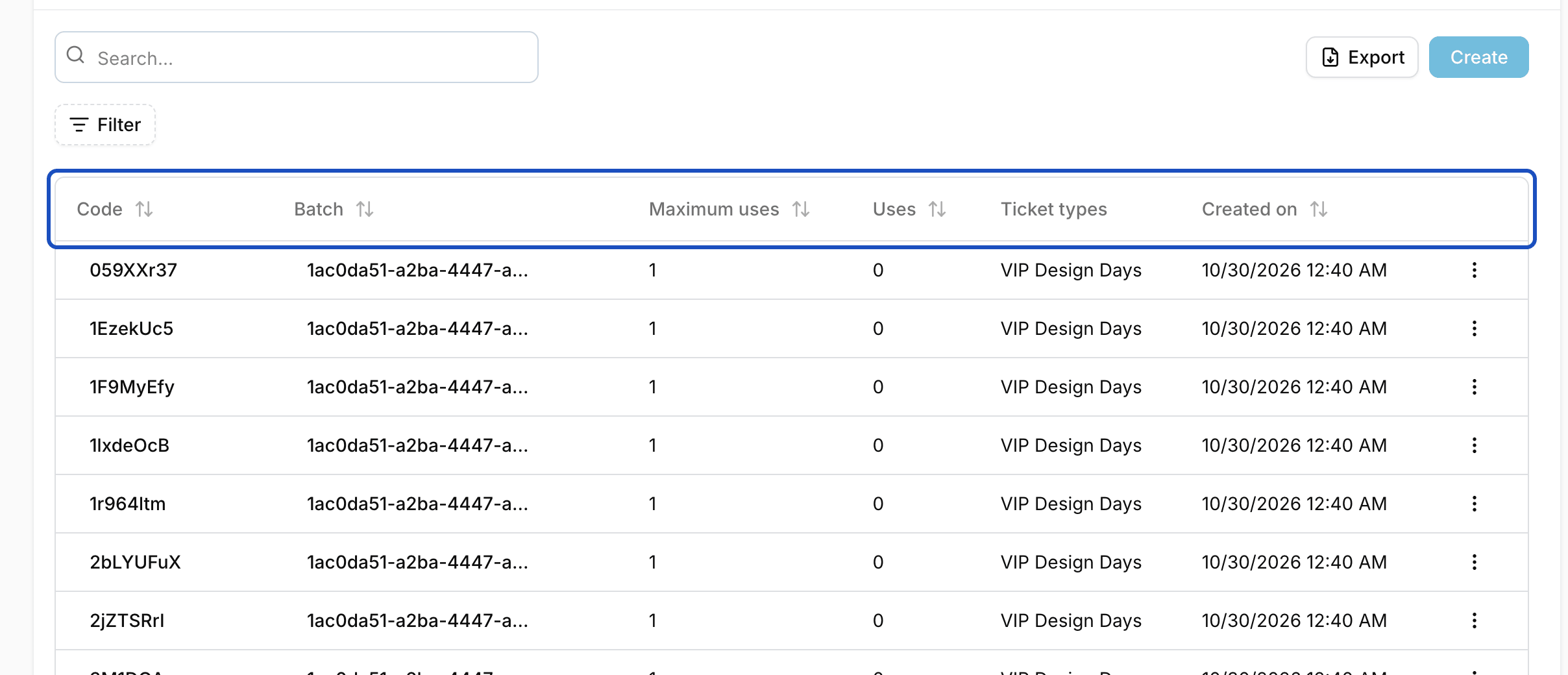
The list of invitation codes shows Uses and Maximum uses for each code. That's how you see who has already booked.
Good to know
Can I create many invitation codes at once?
Yes. When you create a code, enter under Copies how many more codes you need, up to 500 at once. Eventbuddy creates them with random values and the same settings in the background and emails them to you.
What do guests without a code see?
Ticket types with an access code or with linked invitation codes are hidden in the shop. Guests without a code only see the other tickets.
How is this different from a discount code?
A discount code takes an amount off the price and works on visible tickets. An access or invitation code makes a ticket type visible in the first place. You set the price in the ticket type itself.