
Sell at the box office
How to sell tickets for cash at the box office on the event day, print receipts and tickets, and close the cash register.
At the box office you sell tickets on site, for example to guests who drop by on the day. The orders show up with all your other orders, and the quota counts them too.
Before you start
- Eventbuddy switches the box office on for you. Write to us if you want to use it. Until then, the page shows Box Office Not Activated.
- The Admin and Verkäufer (seller) roles can sell.
- If you work with a cash register with TSE, Eventbuddy sets up the register for you. You then sign in to the register before your first sale (see below).
The box office is currently in German and takes cash payments. This article names the German buttons as they appear.
Sell tickets
Open the box office
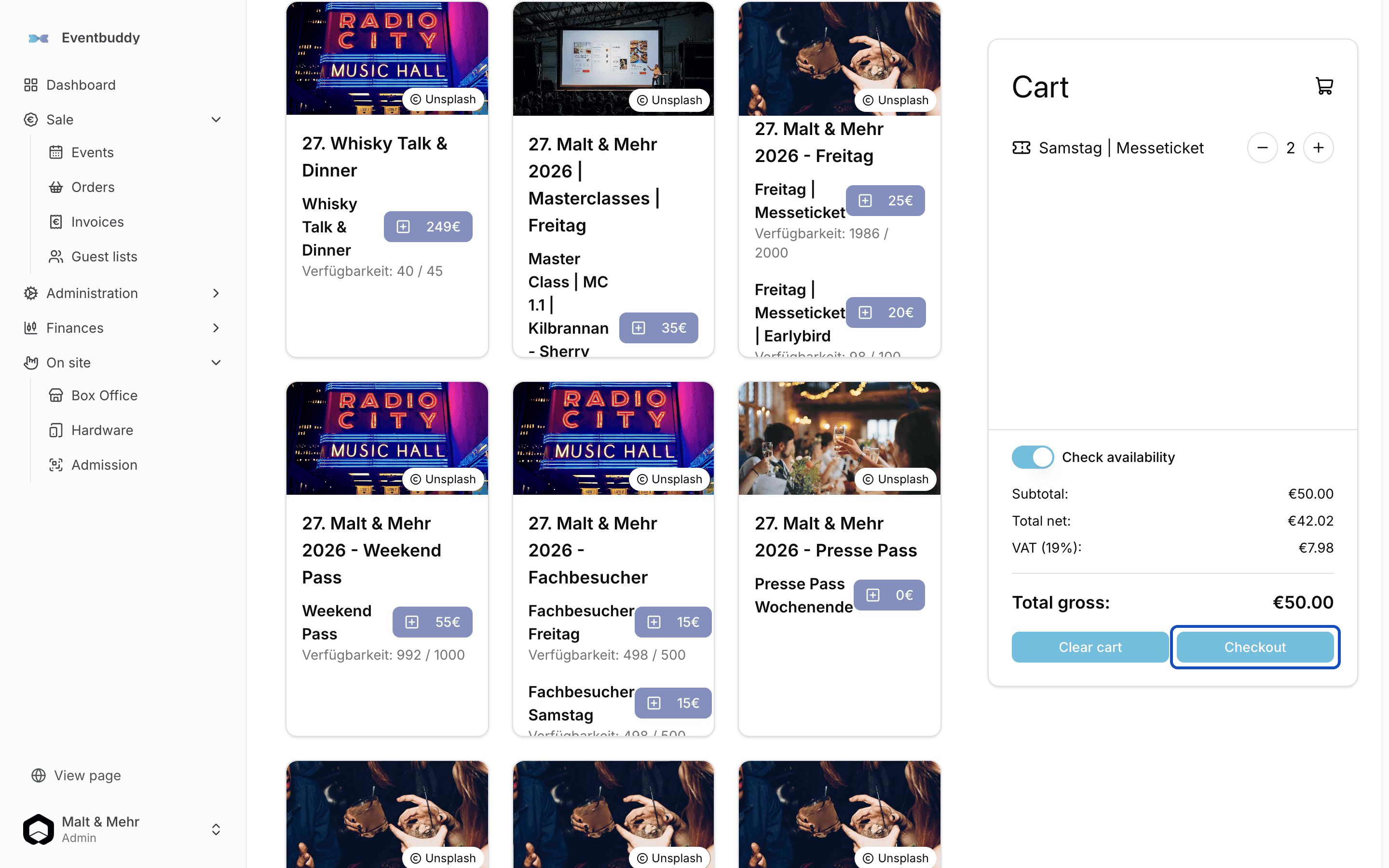
In the sidebar under On site, click Box Office. You see your events with their ticket types and, next to them, the Cart.
Add tickets to the cart
Click the button with the price next to the ticket type you want. Each click adds one ticket to the cart. Use plus and minus in the cart to change the quantity.
Open checkout
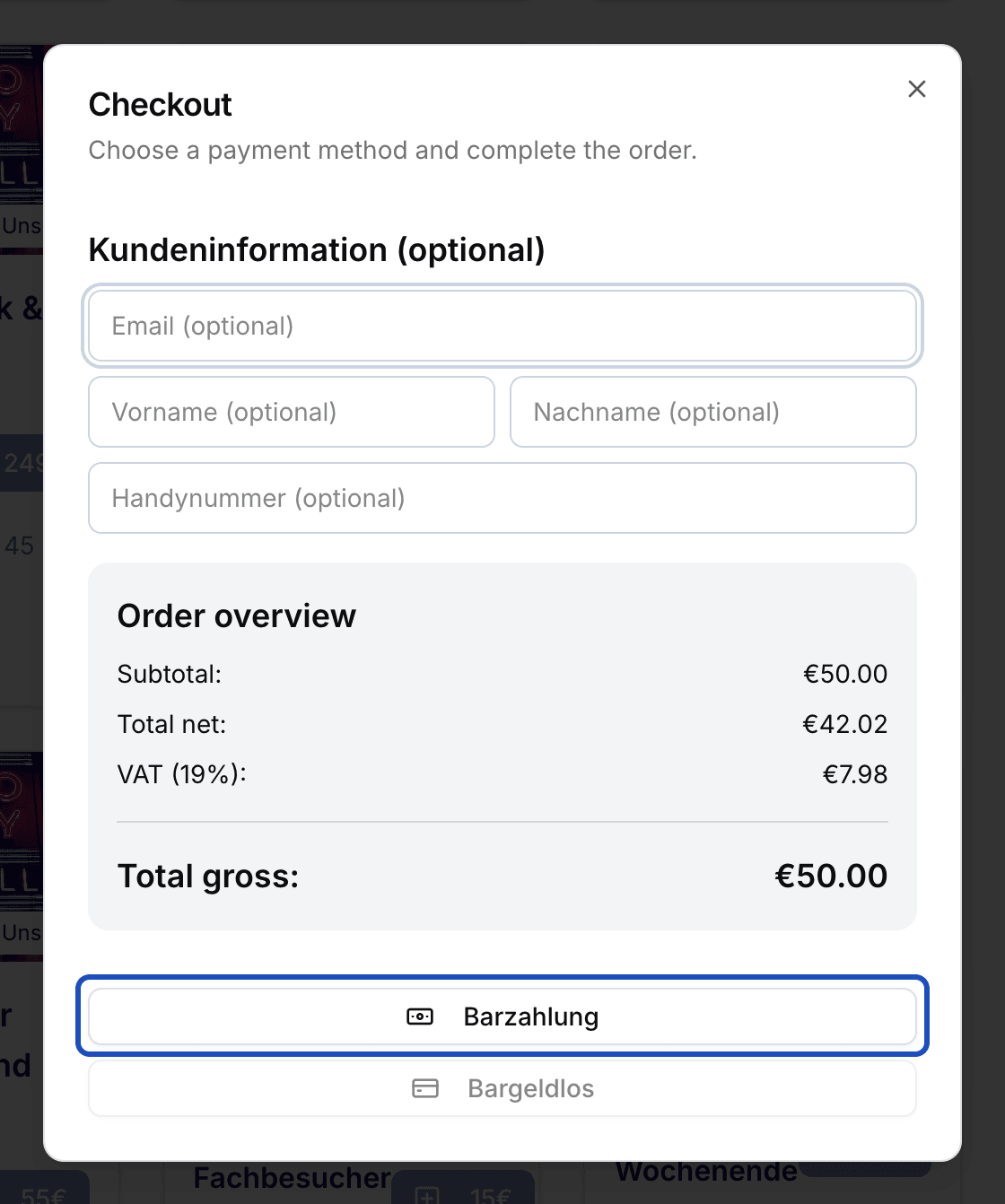
Click Checkout. Under Kundeninformation (optional) (customer information) you can enter email, name and mobile number if the guest wants their tickets by email. The Order overview shows the total.
Take the cash
Click Barzahlung (cash payment). Enter how much money you received. Eventbuddy shows the change. Then click Bezahlen (pay).
The order is only complete once you click Bezahlen. Print receipt and tickets
Beleg drucken prints the receipt, Tickets drucken prints the tickets in DIN Long or DIN A4 format.
Under Letzte 5 Bestellungen (last 5 orders) you find the latest sales. Details opens their receipt and tickets again.
Sign in to the register and close it
This only applies if you work with a cash register.
Open the day
When you open the box office, Eventbuddy asks for the register. If the day hasn't been opened yet, someone with the Admin or Verkäufer role clicks Kasse eröffnen (open register) and then Tag eröffnen (open day) on the register.
Sign in to the register
Choose your register under Kasse and click An Kasse anmelden (sign in to register). From now on, the box office shows the current cash balance.
Close the register
At the end of the day, click the register's name and then Kassenabschluss (closing). Sign everyone else out and print a zero receipt under Null Bon drucken so the cash drawer opens. Count the money per note and coin and click Speichern (save). If the amount differs, click Differenz buchen (book difference). Under Bargeld Entnahme, enter how much cash you take out, click Entnahme buchen and finish with Abschluss durchführen.
Good to know
Can I take card payments on site?
The box office currently only takes cash. Talk to us if you need card payments on site.
What happens when a ticket is sold out?
The box office uses the same quotas as your online shop. When a ticket type is gone, it shows Sold out and you can't add it to the cart.
Can I cancel an order at the box office?
Yes, as long as it hasn't been paid. In the payment dialog, click Bestellung stornieren (cancel order).